Cell Cycle – technical details

Posted: March 12th, 2012 | Author: Jesse Louis-Rosenberg | Filed under: software, thoughts | Tags: , , , | No Comments »

For a while now, we’ve been wanting to switch our online apps from Java applets to HTML5. Applets are simply an outdated technology with a much clunkier, inelegant user experience. Finally, in the last two weeks, we’ve had the time to dig in and start porting our apps. Not only is the technology superior for developing HTML5 apps, but we’ve also learned a lot since we first released customization apps in 2007.  We decided to tackle the most complex one first, the Cell Cycle app. In this post, I’ll go over some of the tech we used and some of the hurdles we encountered.

The Tech

The first thing we had to decide was how we wanted to go about translating our app from Processing, our development environment of choice, to Javascript. I considered rewriting the entire thing from scratch as a kind of JS learning exercise, but decided it was not worth while. The next obvious choice was to use the amazing ProcessingJS, which allows you to run pure Processing code directly in the browser. However, the 3D capabilities of PJS are somewhat limited, so I spent some time looking at other frameworks people have developed around WebGL, such as Mr. Doob’s Three.js. Despite there being some great frameworks out there, I decided that the options were too heavy handed and required too much specialization. The great thing about Processing is how subtle it is. It does exactly what you think it should without extraneous syntax getting in the way.

ProcessingJS

Ultimately, we went with a hybrid of the first two options. We used PJS so that we could reuse the core logic of the original Processing app, but we used pure JS and webGL for drawing. One of the amazing things about PJS is you can mix Processing code and Javascript directly. This allowed us to write JS drawing functions and simply replace the drawing parts of our Processing code. There is an additional benefit/detriment to this ability of PJS. You cannot only call JS functions from Processing, but can combine the object models of Java and Javascript. You have the clean and compact class definitions of Java. But you have the mutability of Javascript that avoids the “over-objectification” that is common in Java. I find this a really refreshing way of coding; however, to the casual user the mixing of Java and Javascript may end up looking like gibberish.

No Libraries

One of the unfortunate aspects of PJS is cannot directly leverage the great community that has grown up around Processing and developed so many powerful libraries to extend Processing. There is no easy way to use Processing libraries in PJS, and in many cases, it is non-trivial to port libraries to PJS. So the first thing we had to do was remove any library dependencies from our code, which included controlP5 and PeasyCam. We replaced these with our own code. This wasn’t so bad, since the app needed a UI overhaul anyway.

the old Java version

Features

The original Java version of the Cell Cycle app had a number of problems. The interface was cluttered; it was buggy; you couldn’t save and share models; you couldn’t subdivide cells on the inside of the bracelet; etc. We took this rewriting as an opportunity to fix and add a bunch of features. Originally, there were three different “view modes”: 3D, smooth, and 2D. We combined all of these into one. The model is always smooth (more on this next) and with the extra screen real estate of the browser, we can show 2D and 3D views simultaneously.

The new version autosizes! Previously there was a “radius”, which corresponds a parameter in the mesh generation but has no relation to the user. It doesn’t correspond to the inner radius or outer radius of the final piece. We updated this version so the user specifies the interior diameter of the final piece. The code then iteratively resizes the piece until the interior dimension is approximately correct. This way a user can specify a size and no matter what they do to the model afterwards, it remains the same size.

Permalinking! It is practically necessary to have permalinks to user generated content on the web these days. If you can’t tweet something or post it to facebook, it might as well not exist. Not only can you link to a model now, but you (or anyone) can continue editing. Instead of saving the mesh that gets 3D printed to our server, we save an abstract representation of the current model state. The actual 3D mesh is reconstructed upon loading. Not only does this allow geometry to be smartly reloaded for editing, but also makes the models much lighter. This saves space, bandwidth, and load times.

Optimization

The biggest amount of development we had to do was optimization. Things have to run fast in the browser. The majority of processing power goes towards generating the mesh and passing that info to the GPU with webGL. Displaying large, static models using openGL is easy. You load up a model into a VBO once, and that’s it. You can display millions of triangles at really fast frame rates. All the work is done in a preprocess, so you don’t have to worry optimization. However, when you have a large, dynamic mesh that is constantly changing, optimization becomes important.

One thing we decided is it couldn’t be completely smooth all the time. The meshes are smoothed through Catmull-Clark subdivision. The models that we send to the printer have two subdivision steps preformed on them. This is simply too much computation to be done in real time.  Instead, while the model is moving we only perform one subdivision. When the model settles and stops, which happens pretty rapidly, we perform a second subdivision and store that in a VBO.  Until it moves again, we do not update the VBO.

But this in and of itself was insufficient using the naive drawing methods that we had previously. The meshes are represented using a Half edge data structure. This stores connectivity information of our mesh faces in a compact way. The simple approach to drawing the mesh is to loop through all the vertices and faces of a mesh, dump that info into arrays that gets passed to the GPU. The problem is that regular JS objects and arrays are not particularly performance oriented. Simply looping a large array of objects and performing basic operations is a significant CPU drain. The key to getting around this is doing as much as possible in fixed-type arrays that were introduced into Javascript specifically for webGL. These include Uint16Array, Float32Array, etc. In my experience, these arrays are far more efficient than generic arrays. Instead of subdividing and creating a new Half edge mesh, the subdivision data goes directly into fixed-type vertex and index arrays that can be passed to webGL. Additionally, other computations, such as surface normals and volume are performed directly out of these buffer arrays. This was ultimately key to  getting interactive framerates.


custom cell cycle designs

Posted: January 7th, 2011 | Author: Jessica Rosenkrantz | Filed under: design | Tags: , , , | 1 Comment »

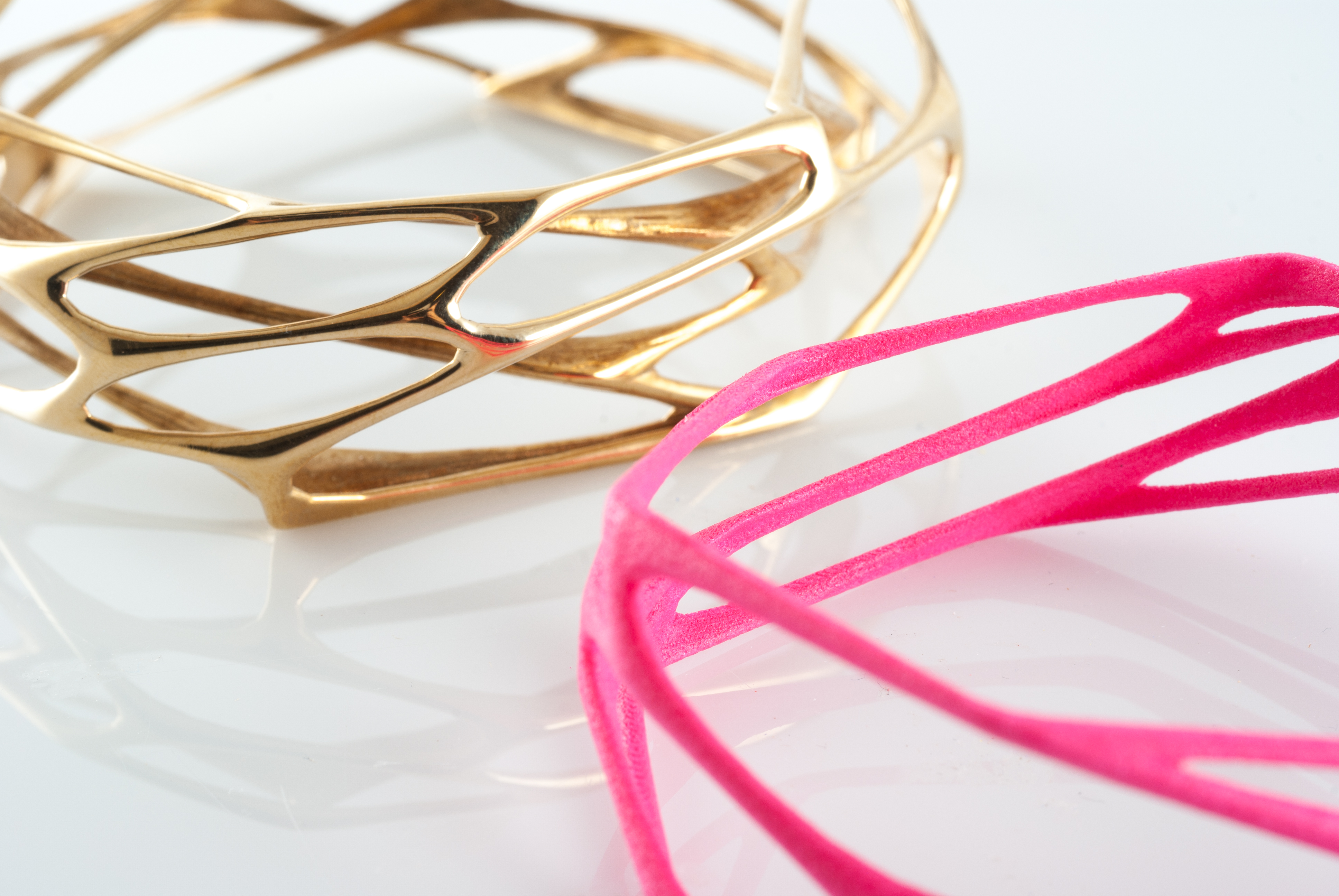
These pieces were designed by customers using our online Cell Cycle application which allows anyone to create their own designs by working with a 3D simulation of cellular spring meshes. Users can define the parameters of their starting mesh and then work with the model interactively: subdividing cells, twisting and morphing the skeleton all in real time.

I’m not sure if these are intended to be bracelets or pieces of sculpture but I really like how they came out! I will try to post more custom pieces in the future…..we’ve been pretty lax about documenting things lately. 

The Cell Cycle app was recently featured in a post on the Fast Company design blog, “Cell Cycle” iPad App Conjures Customized Bio-Inspired Jewelry. Thanks fastcodesign!


ipad apps for generative design

Posted: September 10th, 2010 | Author: Jessica Rosenkrantz | Filed under: exhibition, software | Tags: , , | 4 Comments »

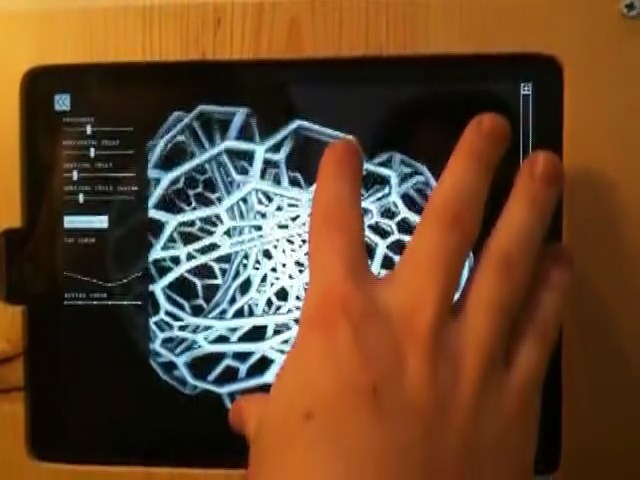
For our Reaction show at Rare Device, we recreated two of our design algorithms as interactive ipad applications that allow visitors in the gallery to engage in our process and try their hand at generative design. The two applications are Cell Cycle, which creates cellular bracelets and rings for 3dprinting, and Xylem which simulates leaf vein formation. The apps were made with the help of the Cinder library.

The Cell Cycle app uses a physics simulation to sculpt a mesh for 3dprinting. Visitors can use multitouch controls to stretch, twist, and scale the basic form. Using the control panel on the left they can change the basic mesh parameters and define boundary curves along the edges of the piece. Most significantly, they can also touch anywhere on the model to subdivide cells and introduce additional springs to the system.

The Xylem app allows people to paint on and erase horomone sources that will effect the venation structure’s growth. Watch the video below to get a sense of what that means.

If you are in the San Francisco area, you can play with these apps in the gallery at Rare Device, 1845 Market St.


cell cycle on the body

Posted: June 14th, 2010 | Author: Jessica Rosenkrantz | Filed under: jewelry | Tags: , | No Comments »

4701221775_c0bd13da99_b 4701858110_f90981cda3_b

Here’s a few photos of our Cell Cycle bracelets being worn.  On the left is the Interstice bracelet and on the right we have the Interstice, Wave, and Porous.   The bracelets are 3d printed by the selective laser sintering  of nylon plastic.

I can’t believe it has taken us almost a year to post photos on them on a person.  Thanks to our intern Brie for modeling.  The site is our partially overgrown backyard… we may shoot some more images with a studio background next week.

more photos are on our flickr page


differentiation

Posted: March 15th, 2010 | Author: Jessica Rosenkrantz | Filed under: video | Tags: , , | No Comments »

a processing sketch made while procrastinating on a number of fronts


new! 1-layer rings in silver

Posted: November 3rd, 2009 | Author: Jessica Rosenkrantz | Filed under: jewelry | Tags: , , | No Comments »

1t-2 1t

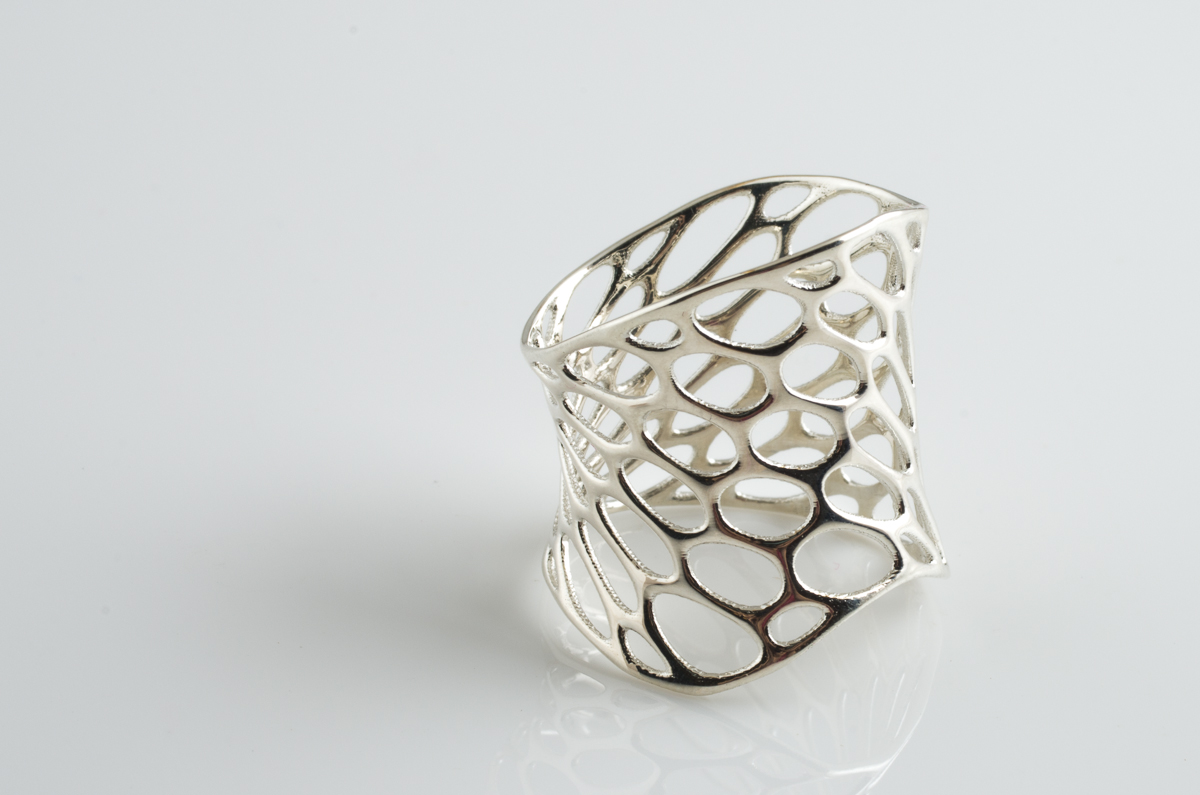
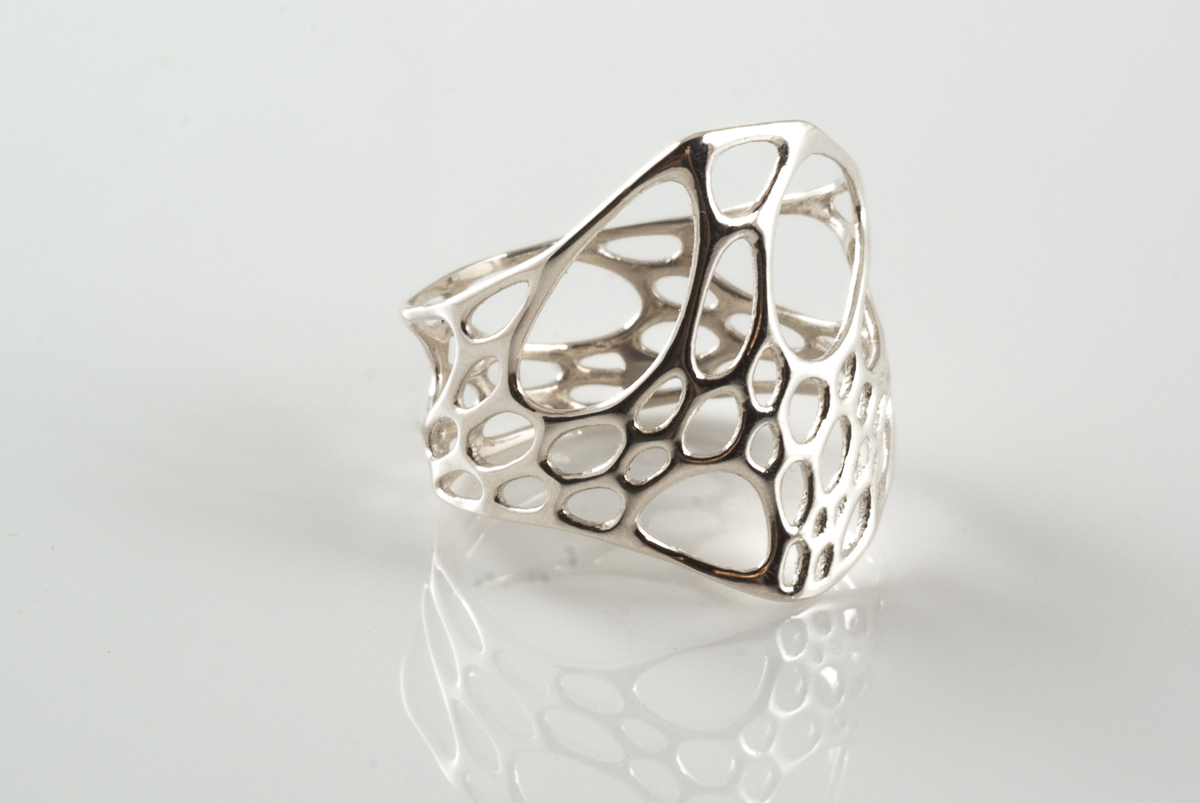
New! 1-layer rings in sterling silver.  Cells contract and expand as they twist their way around the ring.  Same style and fit as our nylon plastic rings but with the permanence and shine of sterling silver.  Click the images above to shop.


coming soon

Posted: September 21st, 2009 | Author: Jessica Rosenkrantz | Filed under: jewelry | Tags: , , | No Comments »

coming soon, originally uploaded by nervous system.

1-layer cell cycle rings will soon be available in sterling silver! same sizing as our plastic rings but with the durability of solid metal and sweet shine of silver.

we may also offer a vermeil version for those you wanting gold tone jewelry.

retail price will be $98.00


Cell Cycle rings in black

Posted: September 7th, 2009 | Author: Jessica Rosenkrantz | Filed under: jewelry | Tags: , , , , | No Comments »

All styles of cell cycle ring are now available in black!  1-layer rings are $12 and 2-layer rings are $25.  You can find them here, just use the drop down box to select a black ring in your size.

From the left we have the 1-layer twist, 2-layer center, 1-layer center, and 2-layer twist rings.

imgp6253-2.jpg


cell cycle ring in sterling silver

Posted: August 17th, 2009 | Author: Jessica Rosenkrantz | Filed under: jewelry | Tags: , , | 2 Comments »

cell cycle ring in sterling silver, originally uploaded by nervous system.

Finally got a chance to properly photograph the center ring. You can purchase one here: Cell Cycle Center Ring available in sizes 5,6,7,8,or 9 (or select size custom to order any size you want!).


1-layer twist ring

Posted: June 28th, 2009 | Author: Jessica Rosenkrantz | Filed under: jewelry | Tags: , , | 3 Comments »

here’s a shot I took yesterday of the 1-layer twist ring being worn.  pretty awesome right?1layertwist_blog.jpgI’m slowly adding better pictures for all of the new pieces.