updates from Nervous System: radiolaria table, 2-color 3d-printing and more

Posted: March 16th, 2013 | Author: Jessica Rosenkrantz | Filed under: furniture, jewelry, news, work in progress | No Comments »

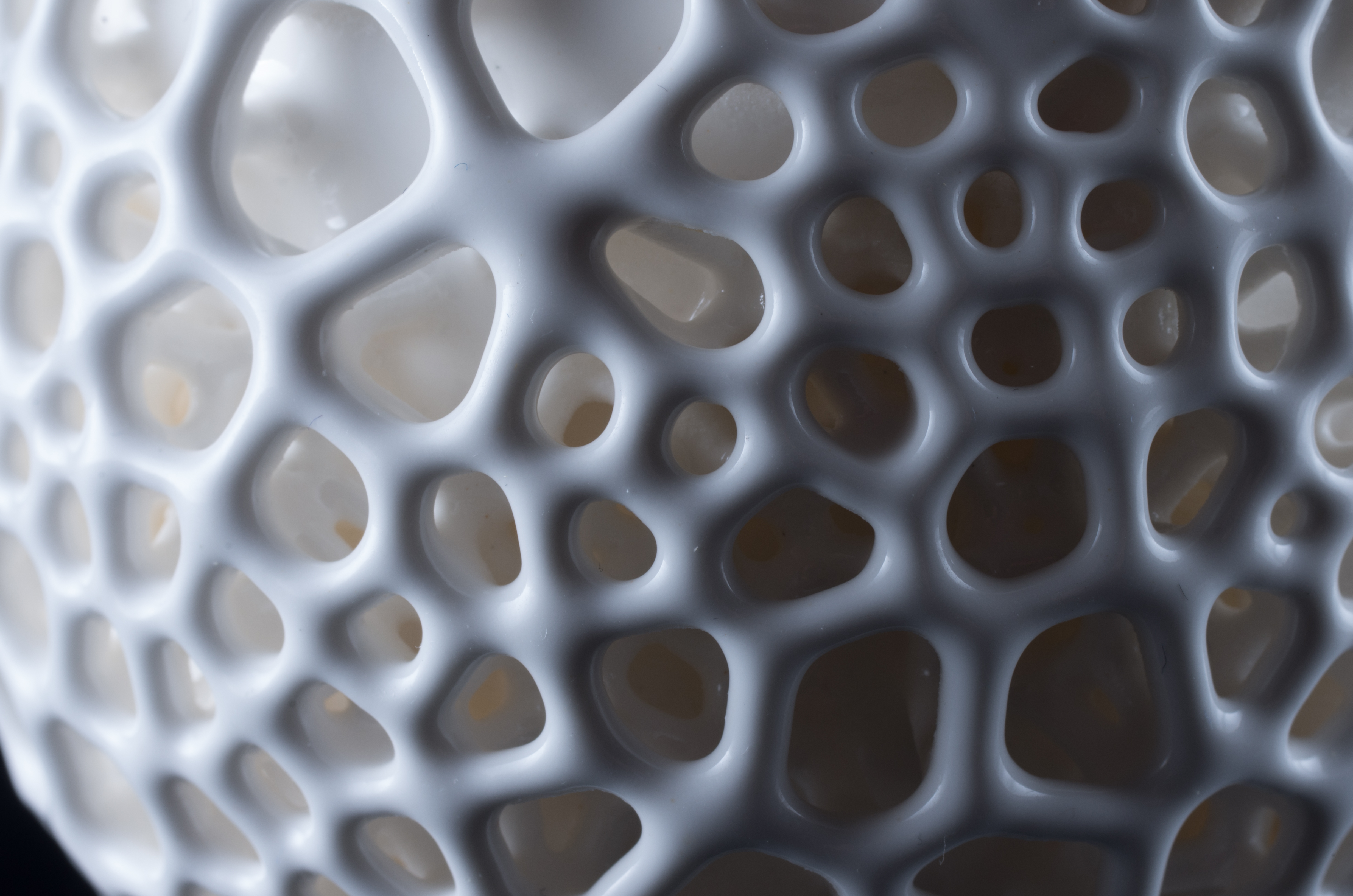
We’re following through with our promise to add tables to the Radiolaria app. Soon you will be able to design your own cellular tables on our website which we CNC route in the studio from plywood. We’ve been testing out various designs and settings. We should have a finished prototype to show you next week. The tables will come complete with organic wood bases and glass inserts for the larger holes.


We now have custom jewelry boxes that fit our larger pieces. These boxes feature a branching pattern we generated with the system show in this video. They are printed in black on recycled speckletone paper, wrapped around recycled chipboard boxes.

We’ve been developing our colors for our spring/summer jewelry collection by creating our own acid dye mixes. Our retail manager, Lia, created an impressive palette of neon colors that should be available before the end of March.

We’ve been playing with two color 3d-printing using our Makerbot Replicator 1. Jesse created an app that takes any 3d model and converts it into a 3d-printable 2-color shell using reaction-diffusion. So far, we’ve just applied it to cats. But, we have some other things in mind and hope to release it as an app on our website soon…so anyone can convert any model into a 2-color print. You can download the 2-color cat models from our Thingiverse.

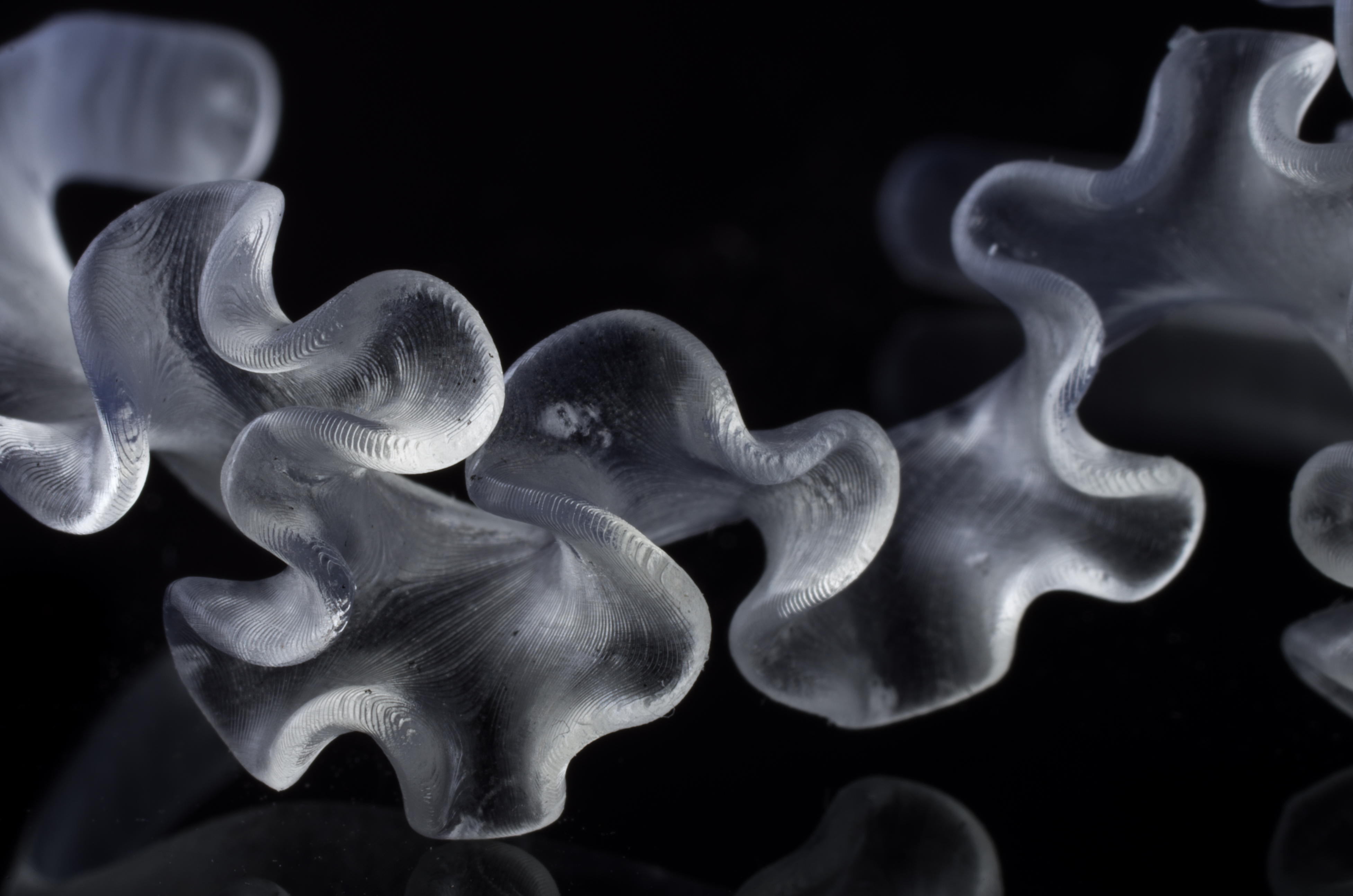
We made a version of the Large Hyphae Ring in sterling silver for a magazine cover photoshoot that came out spectacular!

When we release the new colors, we’ll be retiring a few pieces from the Hyphae collection and replacing them with some new designs.


faceted ellipsoid mirror

Posted: March 12th, 2013 | Author: Jessica Rosenkrantz | Filed under: design, work in progress | 5 Comments »

Yesterday, we fabricated a faceted ellipsoid mirror following up on some of the tangent planes work we’ve done over the years. The mirror is made of laser cut acrylic and plywood pieces. Each acrylic mirror piece is laminated to a plywood piece that has integrated holes for connectors and labels on the edges to aid in construction. For this piece, we made the interior surface mirrored and left the exterior raw, showing the construction method and logic. Our main goal for this prototype was to improve on our previous work by making a very sturdy and cleanly fabricated construction.

As you near the focal point of the ellipsoid, shard-like perspectives of the environment gradually transform into 70 reflections of the viewer. The video below sort of gives you a sense of it.

We’ve hoping to make some more mirrors of different geometries and with different focal points and possibly do an exhibition in our space in the coming months. Also I’d like to make some giant ones from steel mirror. Do you want to help? The construction process is a bit tedious…


Nervous System weekly roundup 12/31/12-01/6/13

Posted: January 9th, 2013 | Author: Jesse Louis-Rosenberg | Filed under: work in progress | Tags: | No Comments »

We’re starting a new tradition at Nervous System of sharing the work we do each week. Although the timing may be suspect, this is not a new years resolution, just something we happened to think of while on holiday. Here’s a summary of week 1.

differential growth

Jesse has begun working on a new design system based on models of differential growth. Currently, it’s just at the phase of initial implementation and conceptualization.

Nathan added a search box on our website with autocomplete, so you can more easily find what you are looking for. Or you can look for everything that comes in black and is 3D-printed.

Jessica is playing with our old barnacle sketch in new ways. She’s looking into making some neat organic animations and colored 3D prints.

new email

Aaron has created a new email address for organizing all the supplies and manufacturers we work with.


Loading 3D models in WebGL

Posted: November 5th, 2012 | Author: Jesse Louis-Rosenberg | Filed under: software, work in progress | 2 Comments »

For a new app we’re working on, we finally came upon the task of loading external 3D geometry. I wanted to store and load meshes with as little bandwidth and processing as possible. I’m sure this has been done before, but here is how I approached it.

Rather than loading a mesh in a common file format (eg stl or obj), processing it, and putting into arrays that I could send to a gl buffer, I wanted to load binary data that could go directly to the GPU. So I created a binary representation of a mesh that exactly mirrors the data I would send to an array buffer. It is a list of 32-bit floats representing the vertex data (6 for each vertex with position and normals) followed by a list of 16-bit integers representing triangle indices. Obviously, this is not a very general file format, but it is exactly the data I need for the shaders I was using. The only additional data is two integers at the start of the file representing the number of vertices and faces.

This data can be directly fetched with an http request as an ArrayBuffer object. This ArrayBuffer can be accessed by creating a Float32Array for the vertex data and Uint16Array for the index data. I don’t even have to allocate new storage. Both the vertex and index arrays use the same ArrayBuffer, just with different offsets.

This is surprisingly simple, and the hard work really comes in encoding the mesh data to begin with. This was in fact extra tricky because I had to deal with endian issues. Endian refers to the order in which the bytes of a number are read. Little-endian means the least significant byte comes first, and big-endian means the most significant byte comes first. When you create a TypedArray from an ArrayBuffer, it just sees a list of bytes and it doesn’t know what byte order they are in. Javascript assumes it is the same as the underlying system architecture, which can vary. It turns out the majority of common systems (x86, x86-64, IOS) are all little-endian. So I generally feel I can ignore big-endian systems and just make my files little-endian. However, Java, with which I was generating the meshes, creates big-endian numbers by default. This caused me much grief for a few hours, as everything was working fine except for the fact that my numbers were mysteriously gibberish.

Below you can find the code I used for encoding and decoding the meshes. The AJAX portion is largely copied from an online example.


Processing code for encoding an obj in binary

String folder = "SOMEFOLDER";
String file = "filename.obj";

ArrayList<PVector> srf = new ArrayList<PVector>();
ArrayList<PVector> norm = new ArrayList<PVector>();
ArrayList<int[]> faces = new ArrayList<int[]>();

void setup() {
  noLoop();
}

void draw() {
  loadSrf(folder+file);
  writeSrf(folder+file.substring(0,file.length()-3)+"vbo");
  exit();
}

void loadSrf(String name) {
  srf.clear();
  norm.clear();
  faces.clear();
  println("LOAD " + name);
  String[] lines = loadStrings(name);
  for(int i=0;i<lines.length;++i) {
   if(lines[i].length() > 2) {
      //vertices
      if (lines[i].substring(0,2).equals("v ")) {
        float info[] = float(split(lines[i], " "));
        srf.add(new PVector(info[1],info[2],info[3]));
      }
      //normals
      else if(lines[i].substring(0,2).equals("vn")) {
        float info[] = float(split(lines[i], " "));
        norm.add(new PVector(info[1],info[2],info[3]));
      }
      else if(lines[i].substring(0,2).equals("f ")) {
        String info[] = split(lines[i], " ");
        //sometimes obj's have different indices for different properties separated by '//'
        int info1[] = int(split(info[1],"//"));
        int info2[] = int(split(info[2],"//"));
        int info3[] = int(split(info[3],"//"));
        //obj has 1 based indexing and we need 0 based indexing
        faces.add(new int[] {info1[0]-1,info2[0]-1,info3[0]-1});
      }
    }
  }
}

//write the data in binary
void writeSrf(String name) {
  try {
    DataOutputStream dos = new DataOutputStream(new FileOutputStream(name));
    dos.writeInt(srf.size());
    dos.writeInt(faces.size());
    PVector v;
    for(int i=0;i<srf.size();++i) {
      v = srf.get(i);
      writeFloat(dos,v.x);
      writeFloat(dos,v.y);
      writeFloat(dos,v.z);
      v = norm.get(i);
      writeFloat(dos,v.x);
      writeFloat(dos,v.y);
      writeFloat(dos,v.z);
    }
    int[] f;
    for(int i=0;i<faces.size();++i) {
      f = faces.get(i);
      writeShort(dos,f[0]);
      writeShort(dos,f[1]);
      writeShort(dos,f[2]);
    }
    dos.close();
  } catch(Exception e) {
  }
}

//write a float value little endian
void writeFloat(DataOutputStream dos, float f) throws IOException {
  int i = Float.floatToIntBits(f);
  dos.writeByte(i & 0xFF);
  dos.writeByte((i >> 8) & 0xFF);
  dos.writeByte((i >> 16) & 0xFF);
  dos.writeByte((i >> 24) & 0xFF);
}

//write a 16-bit integer little endian, integers larger than 65535 will get truncated
void writeShort(DataOutputStream dos, int i) throws IOException {
  dos.writeByte(i & 0xFF);
  dos.writeByte((i >> 8) & 0xFF);
}

javascript file for loading meshes from a file

//load mesh object
/*
	bytes 0-3 = number of vertices
	bytes 4-7 = number of faces
	vertex = 6x4 bytes position followed by normal
	faces = 3x2 bytes as unsigned 16 bit indices
*/

function loadVBO(url, vbo) {
    var xhr = new XMLHttpRequest();

    xhr.onreadystatechange = function () {
        if (xhr.readyState == xhr.DONE) {
            if (xhr.status == 200 && xhr.response) {
                loadBuffers(xhr.response,vbo);
            } else {
                console.log("Failed to download:" + xhr.status + " " + xhr.statusText);
            }
        }
    }
    // Open the request for the provided url
    xhr.open("GET", url, true);
    // Set the responseType to 'arraybuffer' for ArrayBuffer response
    xhr.responseType = "arraybuffer";
    xhr.send();
}

//read ArrayBuffer into gl buffers
function loadBuffers(buffer, vbo) {
	var reader = new DataView(buffer);
        //get number of vertices and faces
	var numVertices = reader.getUint32(0);
	var numFaces = reader.getUint32(4);
	vbo.numVertices = numVertices;
	vbo.numFaces = numFaces;
	//put that data in some arrays
	vbo.vertexData = new Float32Array(buffer,8,numVertices*6);
	vbo.indexData = new Uint16Array(buffer, numVertices*24+8, numFaces*3);
	//push that data to the GPU
	vbo.vertexBuffer = gl.createBuffer();
	gl.bindBuffer(gl.ARRAY_BUFFER, vbo.vertexBuffer);
	gl.bufferData(gl.ARRAY_BUFFER, vbo.vertexData, gl.STATIC_DRAW);

	vbo.indexBuffer = gl.createBuffer();
	gl.bindBuffer(gl.ELEMENT_ARRAY_BUFFER, vbo.indexBuffer);
	gl.bufferData(gl.ELEMENT_ARRAY_BUFFER, vbo.indexData, gl.STATIC_DRAW);
}

And to draw the data

function draw() {
//... some gl drawing stuff up here

  gl.bindBuffer(gl.ARRAY_BUFFER, vbo.vertexBuffer);
  gl.vertexAttribPointer(shaderProgram.vertexPositionAttribute, 3, gl.FLOAT, false,24,0);
  gl.vertexAttribPointer(shaderProgram.vertexNormalAttribute, 3, gl.FLOAT, false,24,12);

  gl.bindBuffer(gl.ELEMENT_ARRAY_BUFFER, vbo.indexBuffer);
  gl.drawElements(gl.TRIANGLES, vbo.numFaces*3, gl.UNSIGNED_SHORT, 0);
}

working on new generative lamp designs

Posted: March 26th, 2012 | Author: Jessica Rosenkrantz | Filed under: 3dprinting, work in progress | Tags: | No Comments »

We’re working on a number of different lamps designs that we hope to introduce at ICFF this May.  This lamp will be comparatively inexpensive to the ones we sell now because of it’s smaller size.  It uses a powerful single LED light fixture.  Each lamp will be unique both in overall form and in pattern.  The variable sizes of the lamps will allow for variable pricing.


video: laplacian growth

Posted: April 21st, 2011 | Author: Jessica Rosenkrantz | Filed under: video, work in progress | 3 Comments »

made with processing.org, sunflow, toxiclibs, and Amazon EC2

music: Celeste by Candlestickmaker (fixed link)


This video is still somewhat incomplete but we decided to post it anyways, we need to add a fly through of the growth at the end. You can’t see much of the grown surface due to the high camera angle. Hopefully we will have a chance to work on this next week.


video: Hele-Shaw Cell experiments

Posted: April 10th, 2011 | Author: Jessica Rosenkrantz | Filed under: inspiration, work in progress | Tags: , , , | 2 Comments »

The video documents several Hele-Shaw Cell experiments using two 16×20″ panes of glass. Intricate branching patterns emerge as we insert glycerin, air and water into the cell.


experiments

Posted: April 8th, 2011 | Author: Jessica Rosenkrantz | Filed under: inspiration, work in progress | Tags: , , | No Comments »

We spent Wednesday evening at Sprout working on a larger scale Hele-Shaw cell experiment and trying to figure out what materials and setup make interesting patterns.  I’m planning to upload a bunch of videos of the results later tonight.   But here’s a preview.


sketch: laplacian growth

Posted: April 5th, 2011 | Author: Jessica Rosenkrantz | Filed under: work in progress | Tags: | 2 Comments »


Hyphae – incomplete / complete

Posted: March 27th, 2011 | Author: Jessica Rosenkrantz | Filed under: housewares, work in progress | Tags: | No Comments »

sketches for something new…. (click for a larger view)