OBJExport library – export color meshes from Processing

Posted: March 13th, 2013 | Author: Jesse Louis-Rosenberg | Filed under: software | Tags: , | 1 Comment »

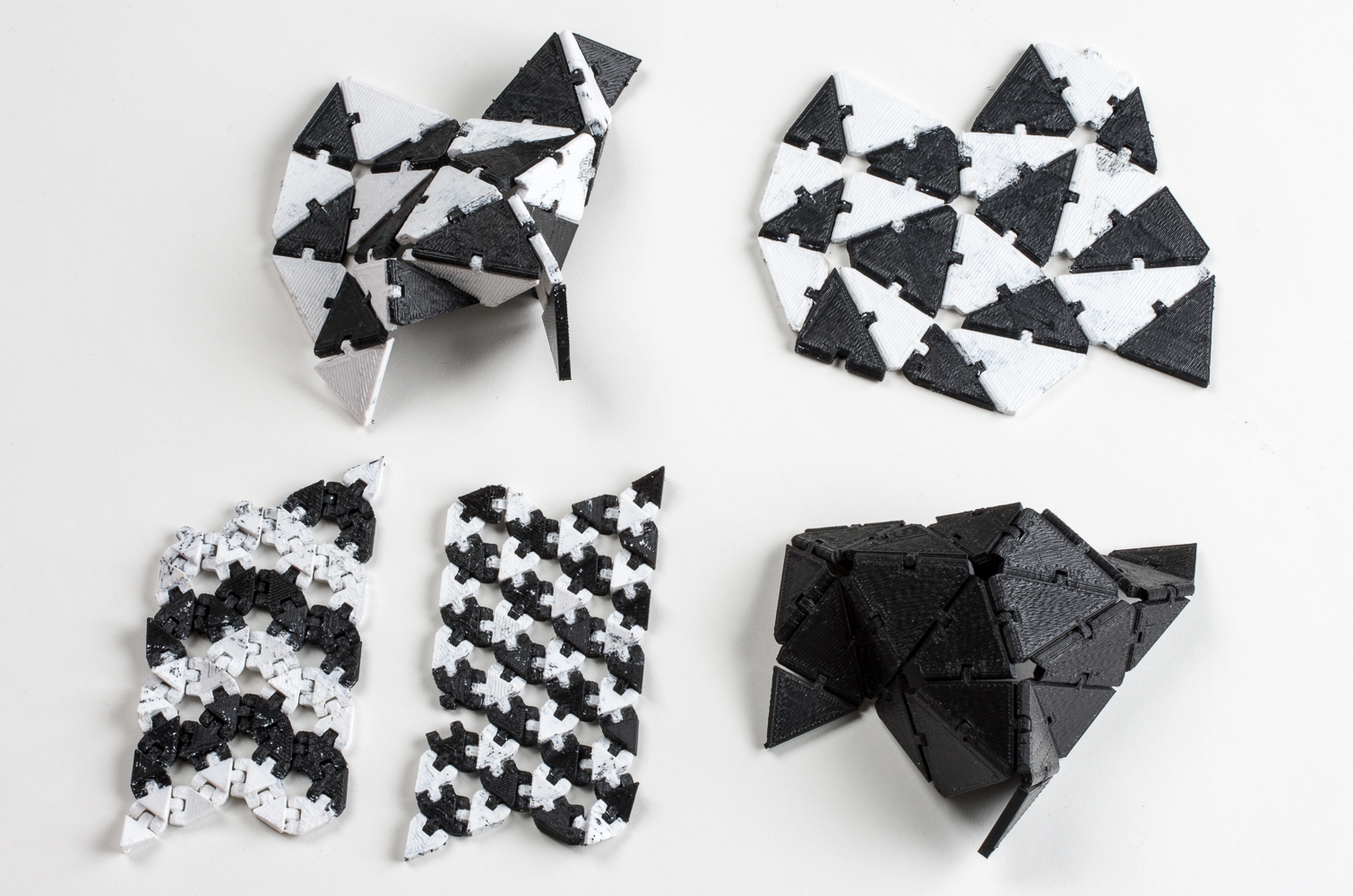
We’ve just released a new Processing 2.0 library for exporting OBJ and X3D mesh files. And it supports color meshes! Now you can export color models for 3D-printing with same commands you use to draw. Get started here: OBJExport library page.

The library works like any PGraphics, such as the PDF library. Simply call

createGraphics(width, height, "nervoussystem.obj.OBJExport", filename)

to get the PGraphics for obj export and use regular Processing drawing commands.

I’ve also started to use GitHub to manage the code for this and other projects. You can find the github page for the library here. This page can be used to peruse the source, fork the project or report bugs.

This library is a re-release of an old library I made years ago. I had sort of forgotten about it until I got an email last week from Michael Zoellner of the Interactive Design program at Hof University. Apparently, people are still using it! He wanted to update the library to be compatible with the new Processing release.

At the same time, we’ve started to do some work color 3d printing. However, to get printable models we had to go through some tedious processing MeshLab. So, I took this opportunity to overhaul the library, adding new features like color exporting and fixing some old bugs.

We’re excited to see what the community does with the library. We’re using it to make color 3d-prints, what are you going to do? Try it out and send any feedback to jesse@n-e-r-v-o-u-s.com


Surface meshing in the browser

Posted: January 30th, 2013 | Author: Jesse Louis-Rosenberg | Filed under: software | 1 Comment »

A common problem we come across is needing to make meshes of complex surfaces. This can be done with many different approaches, but regardless of the method, it is often quite difficult. Especially when doing simulations on surfaces, you need a well-behaved triangle mesh, that is one with a controllable density of elements and nicely shaped triangles. This can be done by generating a set of points on that surface and then triangulating them. But triangulating surfaces embedded in 3-space is no simple task. Recently, I came across an interesting approach to this problem which works especially well with generated point clouds called the Ball-Pivot Algorithm. I implemented it in javascript (you should see it running above).

Let’s start with the basic idea of triangulation in 2D. A triangulation of a set of points is just a set of triangles that covers all those points and don’t overlap.

Now not all triangulations are created equal. We want to make triangulations whose triangles are nicely shaped, as close to equilateral as possible. This leads to better numerical stability and convergence in simulations.

This leads to something called the Delaunay triangulation. This is a really neat triangulation defined such that circumcircle of any triangle in the triangulation does not contain any other points. The circumcircle is the smallest circle enclosing the triangle. One thing that’s not entirely obvious is that this triangulation always exists. And the thing that is great about this triangulation is that it maximizes the minimum angle of the triangles. This means it gives us the best shaped triangles we can get with the points we have.

The problem comes when we make the jump from 2D to 3D. We can generalize the idea of Delaunay triangulations to 3D, giving us tetrahedron instead of triangles and circumspheres instead of circumcircles. However, what we want is surface of triangles embedded in 3-space, not a 3 dimensional solid. One way to get around this is called alpha shapes. This is a subset of the 3D Delaunay triangulation but only including faces of a certain size. Alpha shapes can create good surface triangulations; however, it is necessary to compute the full 3D Delaunay, which is complex in computation and implementation as well as numerically unstable.

So in comes the Ball-Pivot algorithm. This algorithm is nice because it works in linear time for points of a constant density, and it is exceptionally cute conceptually. The idea is you have a ball of a certain radius sitting in a triangle. This ball rolls over the edge of the triangle and keeps rolling until it hits another point. Then, that edge and the point it hits make a new triangle which is added to the triangulation, and the ball rolls over a new edge. If you start with a good triangle, such that the ball contains no other points, then the new triangle the ball rolls onto won’t contain any other points either because any point would have been hit before hand. This maintains the Delaunay property! In fact, the ball pivot algorithm produces a subset of an alpha shape.

There are a few caveats. If the curvature and density of the surface points is too high, a larger ball won’t be able to fit in the necessary crevices, missing some points. If the ball is too small, it can fall through large triangles and leave holes. While these issues can worked around, the ball pivot algorithm works best for surfaces with a consistent density of points.

Feel free to look at the code inside, but it is not optimized and not pretty. This was thrown together in 2-3 days, so it definitely lacks polish.


Puzzle pattern repair and optimization

Posted: January 23rd, 2013 | Author: Jesse Louis-Rosenberg | Filed under: puzzles, software | 1 Comment »

This week I revamped the automatic post-processing of puzzle files. Previously, there was a lot of manual work that had to be done to the file before they were ready to be laser cut. Now, I’ve reduced a lot of that labor and also made it so that the puzzle pieces will be generated with much more consistent details and nubs.

The problems

There are a number of problems that have to be found and fixed by hand. Many of these issues occur around whimsies. Some pieces are generated too small to be a usable piece. Other times pieces get merged during the simulation. This occurs when two pieces which have the same phase grow into each other during the simulation. This can occur because the simulation employs an optimization of only having 5 phases rather than each piece being its own phase. Some areas are just too thin.

Fixing overview

Fixing occurs in two stages. The first part occurs in pixels space before the boundaries have been extracted. This part hasn’t changed. The second stage works in vector space, once everything is represented as polylines. To get from the first stage to the second stage we used a modified marching squares algorithm.

The difficulty

What makes the fixing tricky is that conditions that define what needs to be fixed and how are highly non-local. I cannot simply say nothing can be under X thickness. The more material a connection holds, the thicker it needs to be. Thin areas between two merged pieces need to be split, not thickened. Even thickness is a bit tricky to calculate. Additionally, there can be conflicts where thickening one area makes another too thin.

Marching squares

To explain the fixing procedure in detail, I’ll start at the beginning with the creation of the vector representation. The pixel representation is turned into vectors with a generalized marching squares algorithm that allows for an arbitrary number of states. During this process each point only knows which points it is connected to. There is no notion of pieces having any continuity.

Computing thickness

To compute the thickness of each point, I find the distance to the nearest non-degenerate point. I don’t bother to be concerned with distance to a line segment because the curves are so dense. By non-degenerate point, I mean that points that are directly next to another should not be considered for thickness computation. So for each point I compute a local neighborhood that extends out a certain distance using a depth first search of the neighbors. The points in this neighborhood are considered degenerate.

Minimum thickness computation

To compute how thick a connection needs to be, we need to know how much material it supports. This is estimated by the linear distance along the piece from one end of the connection to the other, rather than trying to compute the actual area. We could compute this distance with a breathe first search, but that would be expensive O(n^2).

Instead, we note that two nearest points must lie within the same piece. This way if we extract each puzzle piece and label each point in the piece with the distance along it starting at an arbitrary point, we can do a simple calculation to get the distance between any two points. It is constant time.

Extracting the pieces themselves isn’t entirely trivial. This equates to finding all minimum cycles in a graph. However, we have a clue that makes this a bit easier. Each point knows the colors of the pixels that is was generated in between, and we can tag them with this information. Because of this if you trace along an arbitrary point’s neighbors that all have the same color, you get a piece. This creates a simple linear time procedure for extracting all pieces.

Thickening

The thin regions are thickened by simply moving a point away from the nearest point, such that it is the minimum distance calculated from the material supported. All points in the local neighborhood of moved point are then marked.

It should be noted that special consideration needs to be paid to boundary pieces, which need to treat the edge of the puzzle slightly differently.

Selective smoothing

All points that have been marked by the thickening process are then smoothed with a Laplacian smoothing procedure. This alleviates any strange geometry that might arise from movement.

These processes of marking, thickening, and smoothing are repeated in a relaxation procedure that resolving conflicting situations when thickening one area overly thins another.

Small and merged pieces

All of these procedures only deal with thin regions. So far, there are no automatic fixes for small and merged pieces. Instead these are marked on export for manual fixing. Merged pieces are heuristically identified simply by their size, which can lead to false positives, but that is easily distinguished by a manual operator. With the pieces already extracted, marking small are large pieces is trivial.

Results

Here are the resulting files. The two marked “extract and mark” are identical and show the output of marking the pieces before they are fixed. Click on them for a larger view.


Radiolaria – our latest web-based design app is now available!

Posted: November 29th, 2012 | Author: Jessica Rosenkrantz | Filed under: design, housewares, jewelry, software | No Comments »

Radiolaria, our latest web-based design app is now available! Radiolaria lets you manipulate a web of connected cells to create a huge variety of biologically-inspired patterns.

Each object you create starts as a basic hexagonal mesh which you can change as much, or as little, as you want with a variety of tools. Choose a sharp, geometric look or a rounded, more organic style. Use attractive and repulsive forces to disrupt the pattern’s initial symmetry, or give it a twist with spiraling forces. Click inside any cell to subdivide it into three smaller cells — those smaller cells can even be further subdivided to add more intricate detail to your design.

Your digital designs can be turned into real-world jewelry, housewares, or decorations made from steel, bamboo, or felt. Play around! And make sure to save your creations so you can revisit and share them, digitally or physically. Get started at n-e-r-v-o-u-s.com/radiolaria/

Back story
We released the first version of our Radiolaria software in 2007 as a Processing applet on our website. The tool was our first effort to engage others in our design process: a way of sharing the cool tools we were creating for ourselves to design with visitors to our website. The applet functioned more as proof of concept than anything else, as few people ever used it to purchase designs. Our in house version of the software has continued to develop over the past 5 years and today we bring the latest version to the web. I feel like we’ve “grown up” a lot since we released the original app and the internet has too. This version of Radiolaria is the most feature rich, user friendly and powerful of any we’ve made so far…and it runs entirely in the browser! Making something like this wouldn’t have been possible for us or the internet 5 years ago.

What can you make?

lasercut bamboo material samples


You can make 4 types of product with Radiolaria: earrings, necklaces, trivets/coasters, and art objects. In 4 materials: stainless steel, 24kt gold plated stainless steel, bamboo plywood, black wool felt. Earrings and necklaces can be made in the stainless steel and gold only. Trivets and coasters can be made in bamboo plywood and wool felt only. Art object is our catch all term for making an abstract thing. You can make your abstract thing any material you like.

stainless steel material samples

stainless steel material samples

The materials we’ve chosen for this app are eco-friendly. Bamboo plywood and wool felt are both beautiful renewable materials made from natural fibers. And our stainless steel is composed of 60% recycled steel and is 100% recyclable.

We’re also working on some larger scale options for what you can make with the app…including furniture! Hopefully, we’ll have that integrated soon.

How long does it take to make?
The bamboo and wool designs are made in our studio in Somerville, MA and take 1 week to make. The stainless steel and gold plated designs take us 3 weeks to make. They are photochemically etched in Minnesota.

Radiolaria – what are they?

Radiolaria drawings by Ernst Haeckel
Radiolaria are microscopic single celled organisms that live in the ocean. Each radiolarian builds a unique skeleton of silica that extends from and surrounds its cell membrane. The form of these skeletons varies from species to species but they are generally composed of different scales of pores and spines. The skeleton provides protection while it floats freely through the ocean and also serves as an armature for the extension of tentacle-like pseudopods which collect food. These skeletons, called ‘tests’, have many fascinating properties: they are extremely beautiful 3-dimensional structures, they use minimal material to enclose a large volume, and they are synthesized and “printed” by a unicellular organism.

Our Radiolaria app attempts to mimic the patterns seen in radiolarian structures by creating a deforming mesh of hexagons. The deformations are controlled by the user by physical simulation: each line acts as a spring, pulling neighboring lines. You can add forces and subdivide cells to sculpt the mesh.

What are you making?
Here are some designs we’ve been making with the app. We want to see what you will make, tweet your designs @nervous_system!


Postscript
Did you think I was kidding when I said the original apps were kind of terrible. I wasn’t. Have a look


Loading 3D models in WebGL

Posted: November 5th, 2012 | Author: Jesse Louis-Rosenberg | Filed under: software, work in progress | 2 Comments »

For a new app we’re working on, we finally came upon the task of loading external 3D geometry. I wanted to store and load meshes with as little bandwidth and processing as possible. I’m sure this has been done before, but here is how I approached it.

Rather than loading a mesh in a common file format (eg stl or obj), processing it, and putting into arrays that I could send to a gl buffer, I wanted to load binary data that could go directly to the GPU. So I created a binary representation of a mesh that exactly mirrors the data I would send to an array buffer. It is a list of 32-bit floats representing the vertex data (6 for each vertex with position and normals) followed by a list of 16-bit integers representing triangle indices. Obviously, this is not a very general file format, but it is exactly the data I need for the shaders I was using. The only additional data is two integers at the start of the file representing the number of vertices and faces.

This data can be directly fetched with an http request as an ArrayBuffer object. This ArrayBuffer can be accessed by creating a Float32Array for the vertex data and Uint16Array for the index data. I don’t even have to allocate new storage. Both the vertex and index arrays use the same ArrayBuffer, just with different offsets.

This is surprisingly simple, and the hard work really comes in encoding the mesh data to begin with. This was in fact extra tricky because I had to deal with endian issues. Endian refers to the order in which the bytes of a number are read. Little-endian means the least significant byte comes first, and big-endian means the most significant byte comes first. When you create a TypedArray from an ArrayBuffer, it just sees a list of bytes and it doesn’t know what byte order they are in. Javascript assumes it is the same as the underlying system architecture, which can vary. It turns out the majority of common systems (x86, x86-64, IOS) are all little-endian. So I generally feel I can ignore big-endian systems and just make my files little-endian. However, Java, with which I was generating the meshes, creates big-endian numbers by default. This caused me much grief for a few hours, as everything was working fine except for the fact that my numbers were mysteriously gibberish.

Below you can find the code I used for encoding and decoding the meshes. The AJAX portion is largely copied from an online example.


Processing code for encoding an obj in binary

String folder = "SOMEFOLDER";
String file = "filename.obj";

ArrayList<PVector> srf = new ArrayList<PVector>();
ArrayList<PVector> norm = new ArrayList<PVector>();
ArrayList<int[]> faces = new ArrayList<int[]>();

void setup() {
  noLoop();
}

void draw() {
  loadSrf(folder+file);
  writeSrf(folder+file.substring(0,file.length()-3)+"vbo");
  exit();
}

void loadSrf(String name) {
  srf.clear();
  norm.clear();
  faces.clear();
  println("LOAD " + name);
  String[] lines = loadStrings(name);
  for(int i=0;i<lines.length;++i) {
   if(lines[i].length() > 2) {
      //vertices
      if (lines[i].substring(0,2).equals("v ")) {
        float info[] = float(split(lines[i], " "));
        srf.add(new PVector(info[1],info[2],info[3]));
      }
      //normals
      else if(lines[i].substring(0,2).equals("vn")) {
        float info[] = float(split(lines[i], " "));
        norm.add(new PVector(info[1],info[2],info[3]));
      }
      else if(lines[i].substring(0,2).equals("f ")) {
        String info[] = split(lines[i], " ");
        //sometimes obj's have different indices for different properties separated by '//'
        int info1[] = int(split(info[1],"//"));
        int info2[] = int(split(info[2],"//"));
        int info3[] = int(split(info[3],"//"));
        //obj has 1 based indexing and we need 0 based indexing
        faces.add(new int[] {info1[0]-1,info2[0]-1,info3[0]-1});
      }
    }
  }
}

//write the data in binary
void writeSrf(String name) {
  try {
    DataOutputStream dos = new DataOutputStream(new FileOutputStream(name));
    dos.writeInt(srf.size());
    dos.writeInt(faces.size());
    PVector v;
    for(int i=0;i<srf.size();++i) {
      v = srf.get(i);
      writeFloat(dos,v.x);
      writeFloat(dos,v.y);
      writeFloat(dos,v.z);
      v = norm.get(i);
      writeFloat(dos,v.x);
      writeFloat(dos,v.y);
      writeFloat(dos,v.z);
    }
    int[] f;
    for(int i=0;i<faces.size();++i) {
      f = faces.get(i);
      writeShort(dos,f[0]);
      writeShort(dos,f[1]);
      writeShort(dos,f[2]);
    }
    dos.close();
  } catch(Exception e) {
  }
}

//write a float value little endian
void writeFloat(DataOutputStream dos, float f) throws IOException {
  int i = Float.floatToIntBits(f);
  dos.writeByte(i & 0xFF);
  dos.writeByte((i >> 8) & 0xFF);
  dos.writeByte((i >> 16) & 0xFF);
  dos.writeByte((i >> 24) & 0xFF);
}

//write a 16-bit integer little endian, integers larger than 65535 will get truncated
void writeShort(DataOutputStream dos, int i) throws IOException {
  dos.writeByte(i & 0xFF);
  dos.writeByte((i >> 8) & 0xFF);
}

javascript file for loading meshes from a file

//load mesh object
/*
	bytes 0-3 = number of vertices
	bytes 4-7 = number of faces
	vertex = 6x4 bytes position followed by normal
	faces = 3x2 bytes as unsigned 16 bit indices
*/

function loadVBO(url, vbo) {
    var xhr = new XMLHttpRequest();

    xhr.onreadystatechange = function () {
        if (xhr.readyState == xhr.DONE) {
            if (xhr.status == 200 && xhr.response) {
                loadBuffers(xhr.response,vbo);
            } else {
                console.log("Failed to download:" + xhr.status + " " + xhr.statusText);
            }
        }
    }
    // Open the request for the provided url
    xhr.open("GET", url, true);
    // Set the responseType to 'arraybuffer' for ArrayBuffer response
    xhr.responseType = "arraybuffer";
    xhr.send();
}

//read ArrayBuffer into gl buffers
function loadBuffers(buffer, vbo) {
	var reader = new DataView(buffer);
        //get number of vertices and faces
	var numVertices = reader.getUint32(0);
	var numFaces = reader.getUint32(4);
	vbo.numVertices = numVertices;
	vbo.numFaces = numFaces;
	//put that data in some arrays
	vbo.vertexData = new Float32Array(buffer,8,numVertices*6);
	vbo.indexData = new Uint16Array(buffer, numVertices*24+8, numFaces*3);
	//push that data to the GPU
	vbo.vertexBuffer = gl.createBuffer();
	gl.bindBuffer(gl.ARRAY_BUFFER, vbo.vertexBuffer);
	gl.bufferData(gl.ARRAY_BUFFER, vbo.vertexData, gl.STATIC_DRAW);

	vbo.indexBuffer = gl.createBuffer();
	gl.bindBuffer(gl.ELEMENT_ARRAY_BUFFER, vbo.indexBuffer);
	gl.bufferData(gl.ELEMENT_ARRAY_BUFFER, vbo.indexData, gl.STATIC_DRAW);
}

And to draw the data

function draw() {
//... some gl drawing stuff up here

  gl.bindBuffer(gl.ARRAY_BUFFER, vbo.vertexBuffer);
  gl.vertexAttribPointer(shaderProgram.vertexPositionAttribute, 3, gl.FLOAT, false,24,0);
  gl.vertexAttribPointer(shaderProgram.vertexNormalAttribute, 3, gl.FLOAT, false,24,12);

  gl.bindBuffer(gl.ELEMENT_ARRAY_BUFFER, vbo.indexBuffer);
  gl.drawElements(gl.TRIANGLES, vbo.numFaces*3, gl.UNSIGNED_SHORT, 0);
}

Cell Cycle – technical details

Posted: March 12th, 2012 | Author: Jesse Louis-Rosenberg | Filed under: software, thoughts | Tags: , , , | No Comments »

For a while now, we’ve been wanting to switch our online apps from Java applets to HTML5. Applets are simply an outdated technology with a much clunkier, inelegant user experience. Finally, in the last two weeks, we’ve had the time to dig in and start porting our apps. Not only is the technology superior for developing HTML5 apps, but we’ve also learned a lot since we first released customization apps in 2007.  We decided to tackle the most complex one first, the Cell Cycle app. In this post, I’ll go over some of the tech we used and some of the hurdles we encountered.

The Tech

The first thing we had to decide was how we wanted to go about translating our app from Processing, our development environment of choice, to Javascript. I considered rewriting the entire thing from scratch as a kind of JS learning exercise, but decided it was not worth while. The next obvious choice was to use the amazing ProcessingJS, which allows you to run pure Processing code directly in the browser. However, the 3D capabilities of PJS are somewhat limited, so I spent some time looking at other frameworks people have developed around WebGL, such as Mr. Doob’s Three.js. Despite there being some great frameworks out there, I decided that the options were too heavy handed and required too much specialization. The great thing about Processing is how subtle it is. It does exactly what you think it should without extraneous syntax getting in the way.

ProcessingJS

Ultimately, we went with a hybrid of the first two options. We used PJS so that we could reuse the core logic of the original Processing app, but we used pure JS and webGL for drawing. One of the amazing things about PJS is you can mix Processing code and Javascript directly. This allowed us to write JS drawing functions and simply replace the drawing parts of our Processing code. There is an additional benefit/detriment to this ability of PJS. You cannot only call JS functions from Processing, but can combine the object models of Java and Javascript. You have the clean and compact class definitions of Java. But you have the mutability of Javascript that avoids the “over-objectification” that is common in Java. I find this a really refreshing way of coding; however, to the casual user the mixing of Java and Javascript may end up looking like gibberish.

No Libraries

One of the unfortunate aspects of PJS is cannot directly leverage the great community that has grown up around Processing and developed so many powerful libraries to extend Processing. There is no easy way to use Processing libraries in PJS, and in many cases, it is non-trivial to port libraries to PJS. So the first thing we had to do was remove any library dependencies from our code, which included controlP5 and PeasyCam. We replaced these with our own code. This wasn’t so bad, since the app needed a UI overhaul anyway.

the old Java version

Features

The original Java version of the Cell Cycle app had a number of problems. The interface was cluttered; it was buggy; you couldn’t save and share models; you couldn’t subdivide cells on the inside of the bracelet; etc. We took this rewriting as an opportunity to fix and add a bunch of features. Originally, there were three different “view modes”: 3D, smooth, and 2D. We combined all of these into one. The model is always smooth (more on this next) and with the extra screen real estate of the browser, we can show 2D and 3D views simultaneously.

The new version autosizes! Previously there was a “radius”, which corresponds a parameter in the mesh generation but has no relation to the user. It doesn’t correspond to the inner radius or outer radius of the final piece. We updated this version so the user specifies the interior diameter of the final piece. The code then iteratively resizes the piece until the interior dimension is approximately correct. This way a user can specify a size and no matter what they do to the model afterwards, it remains the same size.

Permalinking! It is practically necessary to have permalinks to user generated content on the web these days. If you can’t tweet something or post it to facebook, it might as well not exist. Not only can you link to a model now, but you (or anyone) can continue editing. Instead of saving the mesh that gets 3D printed to our server, we save an abstract representation of the current model state. The actual 3D mesh is reconstructed upon loading. Not only does this allow geometry to be smartly reloaded for editing, but also makes the models much lighter. This saves space, bandwidth, and load times.

Optimization

The biggest amount of development we had to do was optimization. Things have to run fast in the browser. The majority of processing power goes towards generating the mesh and passing that info to the GPU with webGL. Displaying large, static models using openGL is easy. You load up a model into a VBO once, and that’s it. You can display millions of triangles at really fast frame rates. All the work is done in a preprocess, so you don’t have to worry optimization. However, when you have a large, dynamic mesh that is constantly changing, optimization becomes important.

One thing we decided is it couldn’t be completely smooth all the time. The meshes are smoothed through Catmull-Clark subdivision. The models that we send to the printer have two subdivision steps preformed on them. This is simply too much computation to be done in real time.  Instead, while the model is moving we only perform one subdivision. When the model settles and stops, which happens pretty rapidly, we perform a second subdivision and store that in a VBO.  Until it moves again, we do not update the VBO.

But this in and of itself was insufficient using the naive drawing methods that we had previously. The meshes are represented using a Half edge data structure. This stores connectivity information of our mesh faces in a compact way. The simple approach to drawing the mesh is to loop through all the vertices and faces of a mesh, dump that info into arrays that gets passed to the GPU. The problem is that regular JS objects and arrays are not particularly performance oriented. Simply looping a large array of objects and performing basic operations is a significant CPU drain. The key to getting around this is doing as much as possible in fixed-type arrays that were introduced into Javascript specifically for webGL. These include Uint16Array, Float32Array, etc. In my experience, these arrays are far more efficient than generic arrays. Instead of subdividing and creating a new Half edge mesh, the subdivision data goes directly into fixed-type vertex and index arrays that can be passed to webGL. Additionally, other computations, such as surface normals and volume are performed directly out of these buffer arrays. This was ultimately key to  getting interactive framerates.


Cell Cycle webGL design app

Posted: March 9th, 2012 | Author: Jessica Rosenkrantz | Filed under: 3dprinting, design, software | No Comments »

We’re excited to announce the release of a new Cell Cycle app! It’s a major upgrade from the previous Java applet and runs directly inside modern browsers.  We’ve added a ton of new features including the ability to save, share and load designs.  We’ve also added a 1-layer design option and a choice of four 3d-printed materials: white nylon, black nylon, red nylon and sterling silver.  We think using the app is pretty self explanatory, but if you have any questions please consult the help section.

We’ll do a blog post next week about some of the technical issues behind the development of the app, but in the meantime…enjoy! You can access the app at http://n-e-r-v-o-u-s.com/cellCycle .  You’ll need a webGL enabled browser.  We recommend Google Chrome.

If you are interested in learning more about our Cell Cycle concept and seeing pieces we’ve design with the app, please check out the Cell Cycle line page.


dendritic solidification

Posted: February 19th, 2011 | Author: Jessica Rosenkrantz | Filed under: nature, software, work in progress | 2 Comments »

Here’s a new project we are working on. It is based on a simulation of solidification in supercooled liquids. As the liquid turns to solid, it forms a dendritic structure. This is similar to how snowflakes form, though they have a anisotropic crystalline structure and start from a small, round initial seed. We’ve taken this physical system and modified it to create a non-physical one where both the solid and liquid phase to grow into each other, giving a more symmetric boundary condition where the phases interlock.

The video shows a many of the 10,000 images we generated to explore the system’s parameter space. Warning: This video is extremely repetitive. If you are impatient, skip around to see more pattern diversity.

The simulation is a phase-field model, which treats each phase (eg liquid/solid) as a continuous variable. Instead of having a hard boundary between phases, which can be hard to represent mathematically, there is a thin region where one phase transitions to the other. Properties of the boundary, like the normal, can be represented as the differential properties of the field, like the gradient. Rather than a physical description of solidification, the model uses a potential function to model the dynamics of each phase. The function has two minima, one for each phase. The phase wants to stay in one of these minima, solid or liquid. A temperature variable is used to tip the balance of this potential function. When the temperature is high, the solid phase becomes less stable and tends to transition towards liquid and visa-versa.

This model is very sensitive to initial conditions. The boundary of the phases and initial temperatures can create vastly different results.


Xylem experiments and improvements

Posted: January 6th, 2011 | Author: Jesse Louis-Rosenberg | Filed under: design, software, thoughts, work in progress | Tags: | 4 Comments »

We have been working on the system we used to create the Xylem line in preparation for making a new collection of 3D printed pieces, including jewelry, lighting and furniture. We are extending the functionality and improving the performance of the simulation to take the designs from 2D cut pieces to fully 3D ones. For a bit more of an explanation of some of the things I refer to in the post, see the original paper that this system is based on.

First and foremost is making the system work in 3D. The original system uses a Delaunay triangulation to determine source neighborhoods. This allows the creation of closed cells. Closed cells are not only desirable for us aesthetically, but necessary for improved structural stability when we are making 3D prints. Having a bunch of unconnected branches would be too weak for functional plastic pieces. Computing Delaunay triangulations becomes much harder in 3D, so we switched over to C++ in order to use CGAL, an open source library of computational geometry algorithms. The other major challenge is producing the 3D surface itself from the vein data. For our previous 3D printed line, we created a simple mesh skeleton and smoothed it using subdivision surfaces. This was possible because we had a very orderly surface. However, the venation patterns are much more chaotic and it is harder to determine how things are connected. Instead, we used an implicit surface technique. This means defining a function everywhere in space which essentially returns 1 inside the surface and -1 outside the surface. A common method for computing a surface for such a function is called marching cubes. However, CGAL has an implementation of a much more sophisticated algorithm which produces higher quality meshes. We also use a CGAL implementation of Axis-Aligned Bounding Box Trees to do quick intersections and projections to a boundary surface that we import to constrain the growth. CGAL kills many birds with one stone.

These are the basic elements for a 3D growth. By projecting onto the surface as the system grows, we can also create growth on a surface as seen in this test cuff we made.

That is just the beginning of the changes we’ve been working on. We were also dissatisfied with the character of the growth. Generally, the algorithm does not produce one of the main things we would expect from venation, a primary central vein with secondary veins perpendicular to it. Everything just tends to grow out at the same time, causing veins to be more parallel then we would like. This contrasts with the real theory of how veins form based on a positive feedback mechanism between flow and flow rate. The primary vein starts to form first, then secondary and tertiary veins. To attempt to inject some of that hierarchical logic into our system, we changed the growth rules. Instead of veins growing in the average direction of all the sources flowing to them, veins grow probabilistically, the more sources flowing to a vein the more likely that vein is to grow. This anticipates which veins become primary or secondary and grows them first.

One problem with probabilistic growth is it is inherently much slower. Each step of the simulation takes just as long, but instead of all the veins growing only a small percentage grow. This led to an idea to make the simulation much faster. The way we determine which veins a source flows to is we temporarily insert that source into a Delaunay triangulation of all the veins and look at the neighbors within that triangulation. This is a computationally costly step. The thing to note is that only new veins that we add in each step of the simulation can possibly be added to or change a sources neighborhood. This is because the veins and sources never move, so adding a new vein could never cause an old vein that was not previously a neighbor to become one. Instead of keeping track of a global triangulation that gets bigger and bigger with every step of the simulation, we only keep track of the local neighborhood for each source. Since the size of the neighborhood of each source stays small, the number of new veins added in each step stays small, and the number of sources is constantly decreasing, this means that as the simulation progresses it actually gets faster (in practice it slows down sharply until the number of veins added normalizes and then gradually speeds up). The key element is to keep track of the neighborhood of each source. The relative neighborhood of veins the source actually flows to is insufficient. That information cannot be used to figure out which new veins are neighbors. Instead we let each vein represent a half plane that points away from the source. Any vein that is within this half plane cannot be the sources neighbor. It is blocked by the vein that defines that half plane. We need to keep track of the minimal set of such veins. Essentially we are defining a convex shell around each source, outside of which nothing can be a neighbor of the source. Maintaining that data structure is a similar problem to linear programming, though because the problem is in a low dimension and we incrementally add each point, it is efficient to take a fairly brute force approach. Long story short, this turns out to be much more efficient. Allowing us to create probabilistic growths faster than we used to make deterministic ones.

Delaunay triangulations in 3D are even more computationally difficult than in 2D. Using CGAL, it takes us several hours to make one growth. So applying this new technique in 3D is even more powerful. It is more difficult to keep track of the convex shell around each source, but it is still much faster. We have not finished implementing this yet, but we have made a video of our preliminary results which looks pretty promising. The next step is to insert this into our framework that uses CGAL to create the 3D mesh.

Sorry the video quality is so poor. It does not seem to compress well.

Another aspect I would like to work on is growth on a surface. Right now, we apply the 3D algorithm with sources confined to a surface and we also project each vein onto the surface. This is fine for simple surface, but for surfaces on which there is a large difference between the distance along the surface and the distance through space this can cause a problem. I would like to use geodesic distances to compute neighbors instead of distance in 3-space. This presents a lot of challenges which we are still working on.

This entire exposition would be a lot clearer with a few nice diagrams, but that is a little more in depth than I can muster right now. Stay tuned for more results and new designs with this system.


r-d on arbitrary meshes

Posted: October 28th, 2010 | Author: Jessica Rosenkrantz | Filed under: software, work in progress | Tags: , | 4 Comments »

As part of a new experimental project we are working on we had to create a reaction-diffusion system that can run on a constantly changing surface. Here are two examples of reaction-diffusion running on arbitrary 3d surfaces, a simple cube and a complex sculpture by Bathsheba Grossman.