Posted: May 14th, 2013 | Author: Jessica Rosenkrantz | Filed under: events | No Comments »

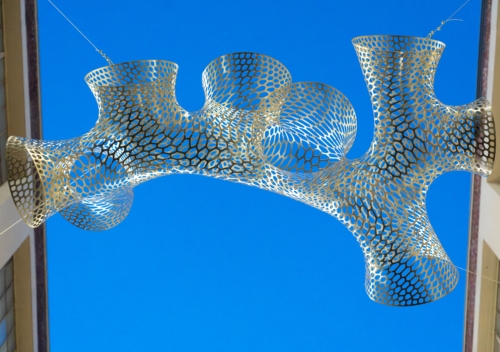
In a few days we’re headed to New York City for our sixth International Contemporary Furniture Fair. We are exhibiting our work at booth 803 in the Javits Center from May 18th to May 21st. We’re also teaching workshops on 3D printing and product customization as a part of DesignX, a new ICFF event focusing on cutting-edge technologies. Please come check out our booth or our workshops!

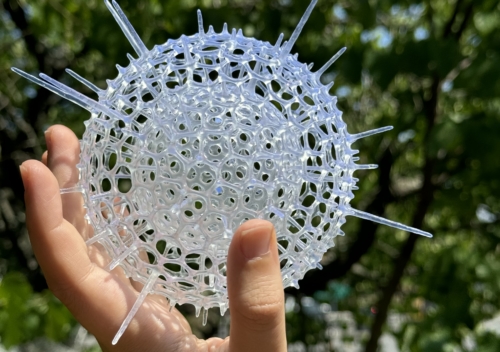
Radiolaria Furniture App
We’re very excited to premiere the new version of our Radiolaria web app at ICFF; we’ve extended the app’s capabilities to allow anyone to design cellular furniture. We will have a computer in our booth where attendees can design their own tables and get instant pricing for their designs. The app is easy to use and flexible enough to create a diverse range of final products. Users dynamically sculpt the table’s patterned top, selecting which cells will hold plexiglass insets and which will remain open. They can also choose their table’s height, number of legs and finish. After an order is placed, we carve the table out of Baltic birch plywood with our CNC router.
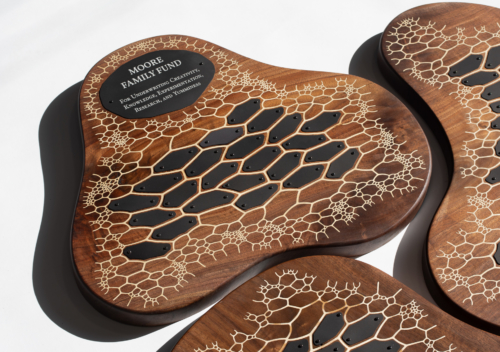
We’ve been busy designing and fabricating example tables for our booth. You can see some photos below documenting our progress cutting the components for three tables with a ShopBot PRSAlpha Buddy CNC router last week.


Hyphae Lamps
We will also be presenting new additions to our family of generative lighting designs, including new pendant lamps and sconces. We’ll have 16 lamps of these one-of-a-kind lamps on display in our booth.


Finally, here’s a sketch of our booth design for this year. Keep an eye out for us as you explore the ICFF exhibits in the Javits Center!

Posted: April 3rd, 2013 | Author: aaron | Filed under: collaboration, education, events, exhibition, news | Tags: Cambridge Science Festival, education, events, exhibitions, Room 68, Science Crawl, Somerville Open Studios, xylem | No Comments »
We’re doing several fun events in the upcoming month, and we wanted to tell you about them.
3D Printing Night @Room 68 — April 4, 6-9pm
68 South St, Jamaica Plain, MA

Tomorrow night (April 4th) we’ll be at Room 68 from 6:00-9:00pm. Stores and galleries in Jamaica Plain stay open late on the first Thursday of each month, and our friends at Room 68 invited us to be involved. We love working with the Room 68 team, and we’re excited to be showing off a brand new cellular coffee table designed with our Radiolaria web app. You can also buy Nervous System lamps or jewelry and see a MakerBot 3D printer in action. Maybe we’ll make a 3D-printed cat for you!
Science Crawl @Xylem — April 18, 5-8pm
287 Third St, Cambridge, MA

On Thursday, April 18th, we’ll be hosting one of the stops on the Science Crawl, a Cambridge Science Festival event. We’re thankful to our friends at Xylem for letting us use their store. We hope you’ll come by and see the exhibition: we’re going to transform Xylem into a space where you can explore everything Nervous System. We’ll have all our new stuff on display, including tables, superhard jigsaw puzzles, and neon-colored jewelry. We’re also going to invite visitors to experiment with our interactive design tools, and Jesse and Jessica will be there to explain the math and science behind their designs. Ask them anything!
Somerville Open Studios @Nervous System — May 4-5, 12-6pm
561 Windsor St, Suite A206, Somerville, MA

In May, we’re going to be involved with Somerville Open Studios, a great event where artists all over Somerville invite people to see the spaces where they create. First, Nervous System will be featured at the Somerville Open Studios fashion show on May 1st. The fashion show starts at 7:30pm in the Center for Arts at the Armory. Then, on May 4th and 5th, the Nervous System studio will be open from noon til 6:00pm, and we’d love for you to come visit. We’ll be featuring our interactive design tools, and we plan to show some new experiments as well.
Posted: April 2nd, 2013 | Author: Jessica Rosenkrantz | Filed under: puzzles | 2 Comments »

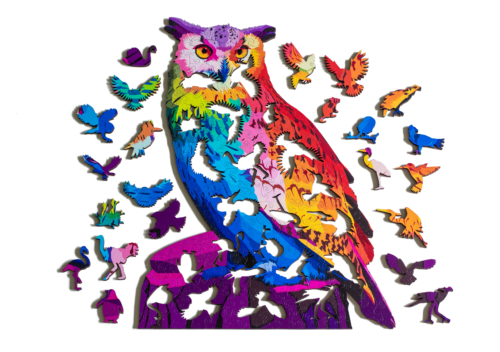
We’re continuing our efforts to enhance traditional jigsaw puzzle craft using new technologies. Today we’re releasing a new series of jigsaw puzzles that can be put together in multiple ways. Each one-of-a-kind puzzle is actually a puzzle in a puzzle!
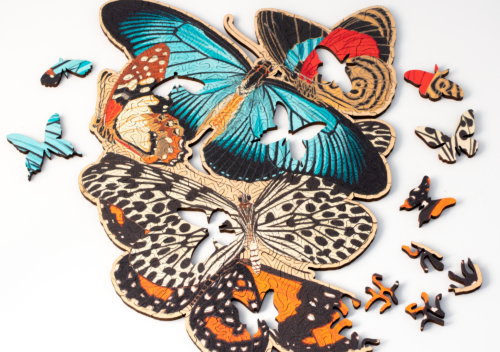
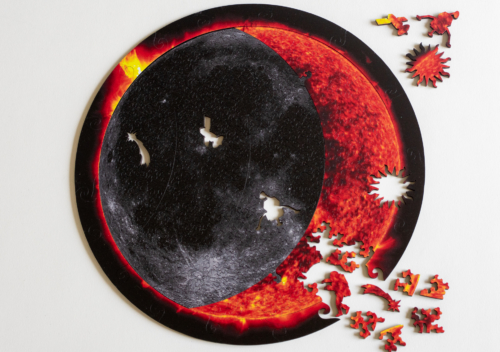
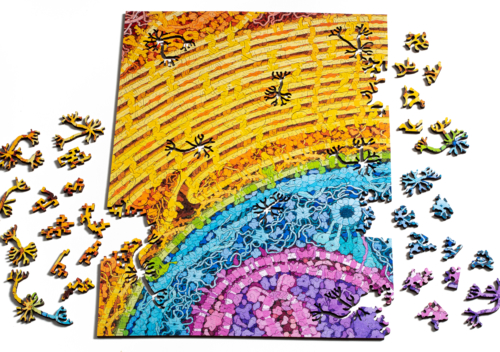
These 2-in-1 puzzles are designed to be extra challenging. Believe it or not, we’ve had people ask us to make our puzzles harder, so this is our answer. We’ve taken away all the clues that people normally use to put a puzzle together. Like our Natural Puzzles, these puzzles have no image, so assembly is guided solely by the shapes of the pieces. We further intensified the difficulty by eliminating the edge pieces and whimsies that usually serve as helpful starting points for puzzle assembly. Finally, to make things even more interesting, we included a sub-puzzle embedded within the puzzle! Roughly 70 colored pieces distributed throughout the 400-piece rectangular puzzle can be removed to form a smaller, circular puzzle.

John Stokes III, a puzzle crafter whose work we admire, proposed the idea of a puzzle within a puzzle to us at last year’s Puzzle Parley. One of the neat things about this concept is that you can actually only do it with digitally fabricated puzzles. When cutting wood puzzles by hand, two edges only fit together if they were physically cut apart with same pass of the scroll saw. Over the years, puzzlers have developed clever ways to make puzzles that fit together in different ways like cutting several pieces of plywood stacked together to create puzzles that can go together with some flexibility (ex. Stokes’ Octastar puzzle). But these methods are still limited by the physical constraints of a saw blade. However, using a laser cutter, we can create precise pieces that interlock even if they were cut separated or from different pieces of wood. Since then, we’ve been scheming of various ways to incorporate multiple configurations into our puzzles.
The embedded puzzle concept would be impossible without our technology-driven approach to design. We had to make several technical enhancements to the puzzle system in this new series. For these puzzles, we generate a smaller puzzle, automatically extract all the individual pieces, and then insert them into a larger puzzle as whimsies. In order to make sure the pieces are an exact fit, the whimsies need to be precise vector shapes instead of the raster whimsies we had developed before. In addition, we enhanced our automatic fixing features so that the inner puzzle pieces were robust enough for the whimsy insertion process.
The back of a 2-in-1 puzzle. The colored pieces are only stained on one side. Each puzzle includes two special laser engraved pieces: one with an edition number and another with the nervous system logo. Currently the puzzles are available with orange or purple pieces. We can do other colors by special request.
The 2-in-1 Challenge puzzles are now available for $200 on our website here.

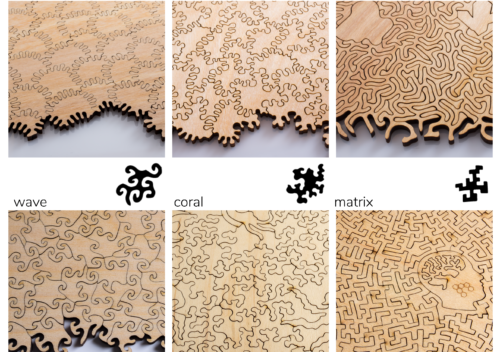
We’ve also added a smaller challenge puzzle to our collection called the Amoeba Puzzle. The Amoeba is series of challenging, one of a kind puzzles featuring our amoeba style pieces. We’ve used the laser to darken the center of each piece to create a pattern of cell walls on one side of the puzzle. This puzzle is an extra challenge because it has no edge pieces and no image to guide assembly. Also, the woodgrain of the pieces does not match up. Each puzzle is a 7″ circle with around 70 pieces. They are available for $45 on our website here.
Posted: March 29th, 2013 | Author: Jessica Rosenkrantz | Filed under: jewelry | Tags: color, neon | No Comments »

Introducing our new seasonal colors: neon yellow and neon pink! Our 3d-printed jewelry designs are now available in these electric hues. We’ve also added them as material options in the Cell Cycle app so you can design your own neon creations.

Our Cell Cycle and Hyphae jewelry collections are 3d-printed in nylon by selective laser sintering (SLS). When they come out of the machine, the printed parts are white. But, they can be easily colored using acid dyes meant for nylon fabric. To get these intense neon hues, we spent a few days creating and testing different dye recipes. We mixed our own colors by combining different concentrations of commercially available colors, creating a spectrum of shades.

With the coming of our Spring/Summer colors, it’s time to say goodbye to our Fall/Winter color, turquoise. Our remaining stock of turquoise 3d-printed jewelry is now on sale for 50% off. Now is your last chance to purchase our designs in turquoise.

You can check out the new neon pieces here. If you have requests for next season’s colors, leave a comment on this post.
Posted: March 28th, 2013 | Author: Jesse Louis-Rosenberg | Filed under: computation, data structures | 1 Comment »
Recently, I came across a neat data structure called a pairing heap. Now, if you’re not familiar with the term heap it can sound confusing. That’s because it doesn’t mean much. A heap is basically a set of objects with some kind of ordering that we don’t have an intuitive word for. Discard any notions of a heap as a pile of stuff. Specifically, it is a hierarchical tree (or forest) where each parent has a certain relationship to its children (like being less than them).
Pairing heaps are used for an efficient implementation of a priority queue. A priority queue keeps track of the minimum of a set of objects, so every time you take something off the queue it is always the lowest value. Priority queues are most notably used when implementing Dijkstra’s algorithm to find the shortest path in a graph. A lot of useful algorithms are based on Dijkstra’s algorithm, including one to compute geodesic distances on meshes which is what we are using pairing heaps for.
Pairing heaps are neat because they are simple to implement and perform well in real applications. Specifically, they perform very well in amortized time. Meaning that while an individual operation may take a longer time, the aggregate of all the operations over the entire life cycle of queue is fast. They have similar properties to the more well known Fibonacci heap, but they are easier to code and often perform better.
Pairing heaps have very simple properties. Each heap is associated with an object or value. Each heap also has a set of child heaps. The value of the object is always less than (or greater than) that of its child heaps. That’s it.
The heap has a few basic operations:
min(heap) – Get the smallest value. Easy. Just look at the value at the top of the heap.
merge(heap1, heap2) – Combine two heaps. Add the heap with greatest value to the children of the other heap. Also fast.

insert(heap, value) – Add a new value. Merge the heap with a new heap only containing the new value.
removeMin(heap) – Remove the smallest object. A little more complicated. Recursively merge all the child heaps in pairs. The result is your new heap.

decreaseKey(heap, subheap, new_value) – Decrease the value of an object in the heap. removeMin on the subheap of the value you are replacing. Insert the new value into to top of the heap.
Here’s a gist of an implementation of a pairing heap in javascript
Posted: March 27th, 2013 | Author: Jessica Rosenkrantz | Filed under: clothing, collaboration | Tags: constrvct, fashion | No Comments »

Ever since we started Nervous System back in 2007, I’ve wanted to make clothing. Generative jewelry is great, but a complete generative outfit is even better. Today, I am happy to announce that our first ever clothing line is now available for purchase. We’ve teamed up with our friends Continuum fashion to offer an exclusive collection of dresses, shirts and skirts through Constrvct.com. The collection encapsulates our fascination with how complex forms emerge in nature. Each piece is based on a different pattern generating phenomenon. The designs are produced using digital fabric printing and made to order in your exact measurements.
View the full collection: Nervous System x Constrvct
Initially we decided to limit the collection to 5 dresses. But after producing prototypes of each one and seeing how great they were, we decided to open it up a bit. Each of the dresses shown above has its own collection. The five collections are: Natural, Laplacian, Reaction, Spines, and Branch. Here are some images of each collection and also some suggested dress and jewelry pairings.

The Laplacian collection features organic branched structures grown in a simulation of crystal growth. These forms were generated in a 3 dimensional simulation of dendritic solidification. This is very similar to our ammonite line and our jigsaw puzzles. You can see a video of our system here: Laplacian Growth Video.

Laplacian Dress ($199) with Nudibranch Necklace ($95) and Kelp Earrings ($40) in stainless steel

The Reaction collection features maze-like patterns of ripples and folds inspired by coral and sand-dunes. This was created by the same reaction-diffusion system we create to make our Reaction housewares collection. Reaction-diffusion is a chemical signalling process that describes how stable patterns can emerge the diffusion and reaction of two or more chemicals. It can be used to explain the skin and shell patterns of many animals. This video shows our design system: Reaction Cup video.

Reaction-diffusion dress ($350) with Radiolaria Necklace ($75) and Radiolaria Bracelet ($55) in black silicone

The Branch collection features branching patterns created with a self repelling, growing, branching system inspired by the forms of plants and algae. This video shows a version of the system: Growing box video.

Branch Dress ($199) with Branch Earrings ($40) and Filament Necklace ($85) in stainless steel

The Natural collection is created from my photographs of natural patterns. I travel everywhere with camera in hand, searching for strange yet beautiful phenomena that reveal how the world constructs itself. Pieces in this collection feature macro photographs of lichen, coral, leaf venation, sinter terraces, flower organization, insects, and fungi. Many of the forms I’ve captured have influenced the development of our generative software.

Phyllotaxis Dress ($350) with Vessel Pendant ($40) and Rhizome Cuff ($75) in neon yellow 3d-printed nylon

Spines features generative designs inspired by all things spiny – sea urchins, cacti + pencils. The software I created for this set of designs is based on our Radiolaria cellular design system but with protruding spines where the holes should be. See this set for reference: barnacles / spines/ tentacles set. With this collection, I was primarily playing with the movement of the spines across the body and how to use color since we are usually so focused solely on geometry.

Spines Dress ($199) with 2-layer Twist Ring ($25), Cellular Earrings ($50), and Subdivision Cuff ($60) in neon pink 3d-printed nylon
Posted: March 26th, 2013 | Author: Jessica Rosenkrantz | Filed under: nature, photography | Tags: scuba, underwater | 2 Comments »

Ever since I was little, I’ve wanted to explore the ocean. Images of coral reefs and video of deep sea explorers captured my imagination and the ocean appeared to me as a wild, alien territory. My dream was to become a scuba diver. There was one major problem though, I’ve always been uncomfortable in water. Over the years, I’ve kept putting off taking a scuba diving certification course. I had plenty of excuses – “I can’t afford it,” “I’m too busy”, “I can’t swim well enough to pass the swim test portion without embarrassing myself.” Eventually I just got fed up with my own excuses. It’s funny how you can be a perfectly rational person in many aspects of your life but still let serious irrational fears get the best of you in other aspects. We signed up for scuba diving lessons with our local dive shop, United Divers.

Predictably, I hated it. The feeling of being trapped inside an armature of rubber tubes, a constricting neoprene skin and all the while breathing out of a can of air on your back in the deep end of a small, crowded pool wasn’t particularly enticing. We practiced skills like removing your mask and your air supply which triggered in me some kind of visceral animal terror. They lectured us about all the things that could go wrong in our bodies due to the increase in pressure – your lungs could explode, your eardrums could burst, you could get oxygen toxicity, you could get nitrogen toxicity, etc. I really didn’t want to go back. But, we went back anyways. Nine dives later, I think I’m starting to enjoy it…certainly I’ve gotten over the irrational fear part and now I just have the rational part.


After our first 4 dives, we became certified scuba divers. Dive number 5 was the first dive I could bring a camera on. Prior to our trip, I spent a few weeks researching underwater photography equipment. I ended up getting an Olympus ELP5 micro-4/3′s camera. Olympus is the only major camera manufacturer that makes dive housing for its cameras. Third party housings are very expensive, so it was cheaper to buy an entire new camera system with lenses than to buy the housing for my dSLR camera. I also considered how ginormous the housings for dSLR’s are and decided a smaller system would give me more flexibility in the water. My underwater photography rig consists of Olympus ELP5, Olympus PT-EP10 housing, Olympus 60mm macro lens with focus ring, and one Sea & Sea ys-01 strobe. As you can see below, it’s still quite big even though it’s smaller than a SLR system.


Taking photographs underwater is complicated. After you go down a few dozen feet, most sunlight has been absorbed so it’s rather dark. The red portion of the spectrum disappears first, so without a flash your photos will appear completely blue. Another issue is that the ocean is a dynamic environment, the water is constantly moving; so you are moving, your camera is moving and the things you are trying to photograph are moving. Not to mention the fact that you have to scuba dive while you do it; that means you have to watch your air consumption, maintain your buoyancy, keep track of your dive buddy, and not get lost all while operating your camera. Shooting with a strobe pretty much means you have to operate your camera manually, adjusting the strobe power, exposure and aperture for every shot. You also have to be really careful not that you aren’t bumping in to the stuff around you because most of it is alive and you want to document it, not kill it. To sum it up, underwater photography challenging. Most of the photos I took were complete rubbish. But, I’ve put some of the better ones in this post (these were shot at various dive sites in Kailua-Kona, Hawaii). Despite, the danger and difficulties, the ocean really is the diverse, alien landscape that I pictured it as when I was little.


Posted: March 16th, 2013 | Author: Jessica Rosenkrantz | Filed under: furniture, jewelry, news, work in progress | No Comments »

We’re following through with our promise to add tables to the Radiolaria app. Soon you will be able to design your own cellular tables on our website which we CNC route in the studio from plywood. We’ve been testing out various designs and settings. We should have a finished prototype to show you next week. The tables will come complete with organic wood bases and glass inserts for the larger holes.
We now have custom jewelry boxes that fit our larger pieces. These boxes feature a branching pattern we generated with the system show in this video. They are printed in black on recycled speckletone paper, wrapped around recycled chipboard boxes.

We’ve been developing our colors for our spring/summer jewelry collection by creating our own acid dye mixes. Our retail manager, Lia, created an impressive palette of neon colors that should be available before the end of March.
We’ve been playing with two color 3d-printing using our Makerbot Replicator 1. Jesse created an app that takes any 3d model and converts it into a 3d-printable 2-color shell using reaction-diffusion. So far, we’ve just applied it to cats. But, we have some other things in mind and hope to release it as an app on our website soon…so anyone can convert any model into a 2-color print. You can download the 2-color cat models from our Thingiverse.

We made a version of the Large Hyphae Ring in sterling silver for a magazine cover photoshoot that came out spectacular!

When we release the new colors, we’ll be retiring a few pieces from the Hyphae collection and replacing them with some new designs.

Posted: March 13th, 2013 | Author: Jesse Louis-Rosenberg | Filed under: software | Tags: library, processing | 1 Comment »

We’ve just released a new Processing 2.0 library for exporting OBJ and X3D mesh files. And it supports color meshes! Now you can export color models for 3D-printing with same commands you use to draw. Get started here: OBJExport library page.
The library works like any PGraphics, such as the PDF library. Simply call
createGraphics(width, height, "nervoussystem.obj.OBJExport", filename)
to get the PGraphics for obj export and use regular Processing drawing commands.
I’ve also started to use GitHub to manage the code for this and other projects. You can find the github page for the library here. This page can be used to peruse the source, fork the project or report bugs.
This library is a re-release of an old library I made years ago. I had sort of forgotten about it until I got an email last week from Michael Zoellner of the Interactive Design program at Hof University. Apparently, people are still using it! He wanted to update the library to be compatible with the new Processing release.
At the same time, we’ve started to do some work color 3d printing. However, to get printable models we had to go through some tedious processing MeshLab. So, I took this opportunity to overhaul the library, adding new features like color exporting and fixing some old bugs.

We’re excited to see what the community does with the library. We’re using it to make color 3d-prints, what are you going to do? Try it out and send any feedback to jesse@n-e-r-v-o-u-s.com
Posted: March 12th, 2013 | Author: Jessica Rosenkrantz | Filed under: design, work in progress | 5 Comments »

Yesterday, we fabricated a faceted ellipsoid mirror following up on some of the tangent planes work we’ve done over the years. The mirror is made of laser cut acrylic and plywood pieces. Each acrylic mirror piece is laminated to a plywood piece that has integrated holes for connectors and labels on the edges to aid in construction. For this piece, we made the interior surface mirrored and left the exterior raw, showing the construction method and logic. Our main goal for this prototype was to improve on our previous work by making a very sturdy and cleanly fabricated construction.

As you near the focal point of the ellipsoid, shard-like perspectives of the environment gradually transform into 70 reflections of the viewer. The video below sort of gives you a sense of it.
We’ve hoping to make some more mirrors of different geometries and with different focal points and possibly do an exhibition in our space in the coming months. Also I’d like to make some giant ones from steel mirror. Do you want to help? The construction process is a bit tedious…